

At AppCoda, our aim is to teach everyone how to code and build an iOS app. Here you can find a collection of free tutorials that are target for beginners without possessing any coding experience, and developers with some iOS programming experience. All the tutorials listed below are absolutely free. Simply follow the tutorials to kick off your development journey.
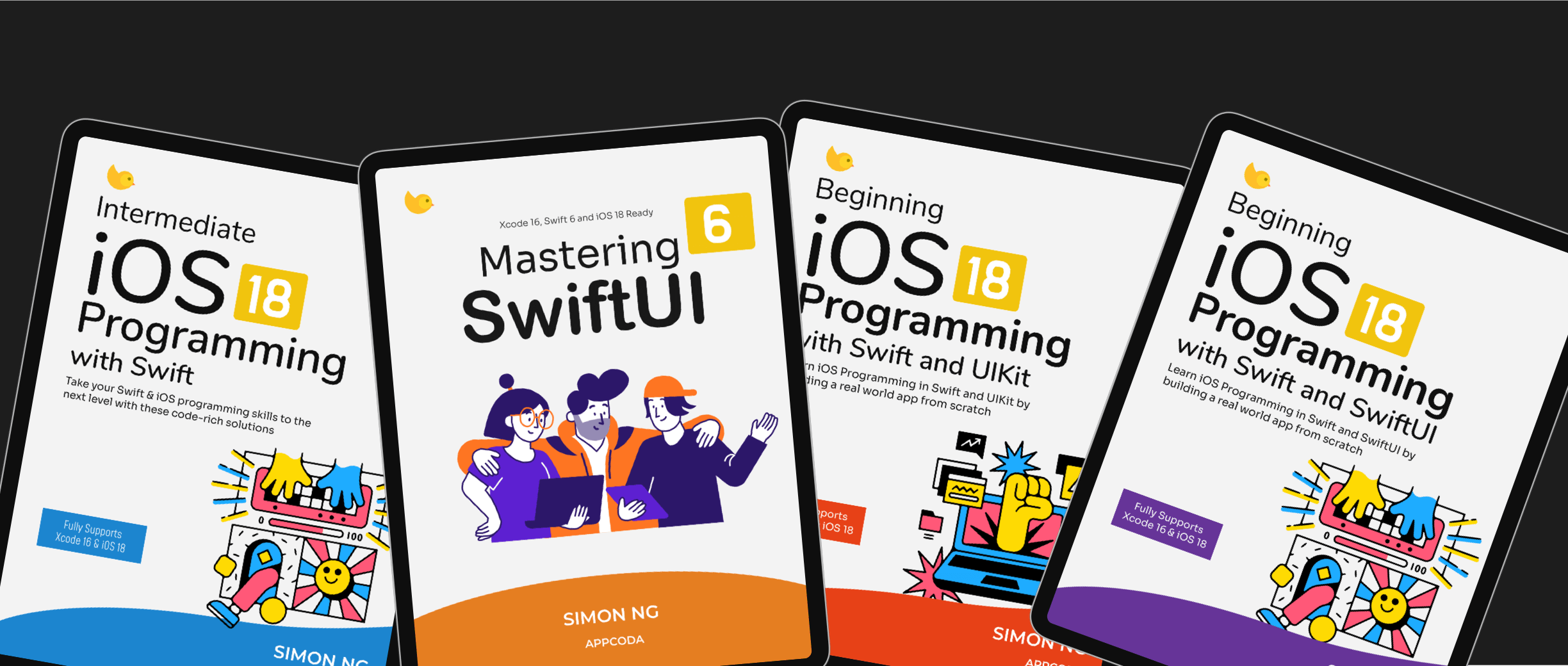
Other than free tutorials, we also provide premium learning materials to help you become a proficient iOS developer. If you're eager to create an app but don't know where to start, our comprehensive book covers every aspect of Swift programming and iOS development, guiding you step-by-step from an initial idea to a finished app on the App Store.
Our books embrace a "Learn by Doing" approach, making iOS programming accessible and effective. The beginner's book is perfect for those with little to no prior programming experience. You'll start by creating a simple app, then progressively prototype and add features to your idea in each chapter, ultimately building a fully functional app. Throughout this journey, you'll master Swift programming and iOS app development. Visit our official page to learn more and download sample chapters to get started.
Why Should I Get the Book if the Tutorials Are Free?
This is a common question from our readers. While our free tutorials are a great resource, our Swift books offer a different experience. The beginner book is crafted from the ground up to teach Swift programming to newcomers, guiding you through building a real-world app from scratch. All materials are fully updated for the latest versions of Xcode and iOS.
Swift, like any technology, will continue to evolve, and with change comes the need for updates. When you purchase the book, you receive free updates for one year, ensuring that the content and source code remain compatible with the latest versions of iOS and Xcode. The books are available in multiple formats, including PDF, ePub, and HTML, so you can read them on your preferred device. Additionally, you'll gain access to our private Facebook group, where you can interact with fellow learners.
We are committed to contributing to the developer community and helping our readers learn to code. This commitment drives us to regularly publish tutorials and share our knowledge for free. However, due to resource constraints, we cannot always review and update all free tutorials whenever a new version of iOS is released. As a result, some free tutorials may not be fully compatible with the latest versions of Swift or iOS, and you may need to modify some lines of code to get them to work.
Free Programming Tutorials
Objective-C Tutorials for Beginners
- Pre-requisite: What You Need to Begin iOS Programming
- Tutorial #1: Hello World! Build Your First iPhone App (Screencast is now available!)
- Tutorial #2: How Does the Hello World App Work?
- Tutorial #3: Create a Simple Table View App
- Tutorial #4: Customize Table View Cells for UITableView
- Tutorial #5: How To Handle Row Selection in UITableView
- Tutorial #6: Enhance Your Simple Table App With Property List
- Tutorial #7: How to Add Splash Screen in Your iOS App
- Tutorial #8: Delete a Row from UITableView and Model-View-Controller
- Tutorial #9: Use Storyboards to Design User Interface
- Tutorial #10: Pass Data Between View Controller Using Storyboard Segue
- Tutorial #11: Create Tab Bar Controller and Web View
- Tutorial #12: How to Add Search Bar in Table View
- Tutorial #13: Intro to Object Oriented Programming
- Tutorial #14: Redesign the Recipe App with a Better Detail View
- Tutorial #15: Introduction to Core Data
- Tutorial #16: Core Data Basics Part 2
- Tutorial #17: Introduction to UICollectionView in iOS 6
- Tutorial #18: Add Header and Footer in UICollectionView (Flow Layout)
- Tutorial #19: Handling Single and Multiple Selection in Collection View
- Tutorial #20: Introduction to iCloud
- Tutorial #21: Create Static Table View Using Storyboard
- Tutorial #22: Build a Simple RSS Reader App
- Tutorial #23: Build a Simple Camera App Using UIImagePickerController
- Tutorial #24: Build a Simple App for Video Recording and Playback
- Tutorial #25: Adding Local Notification to iOS Apps
- Tutorial #26: How to Use UIPageViewController
- Tutorial #27: How to Create a Slide-out Sidebar Menu like the one in Facebook app
- Tutorial #28: How to Create a Cloud Backend for Your App using Parse – Part 1
- Tutorial #29: How to Create a Cloud Backend for Your App using Parse – Part 2
- Tutorial #30: How to Fetch and Parse JSON Using iOS SDK
- Tutorial #31: How to Localize iPhone apps
- Tutorial #32: How to Add AirDrop Sharing Feature to Your Apps
- Tutorial #33: How to Create a Universal App
- Tutorial #34: How to Create UIPageViewController Using Storyboard
- Tutorial #35: Introduction to Objective-C Blocks
- Tutorial #36: Introduction to UIActionSheet and UIPopoverController
- Tutorial #37: How to Integrate Facebook Login in iOS App
- Tutorial #38: How to Use iAd to Display Banner Ad
- Tutorial #39: Introduction to Auto Layout
- Tutorial #40: Understanding Gesture Recognizers in iOS 7
- Tutorial #41: Creating Interactive Local Notifications in iOS 8
- Tutorial #42: An Introduction to WebKit Framework in iOS 8 – Part 1
- Tutorial #43: An Introduction to WebKit Framework in iOS 8 – Part 2
- Tutorial #44: A Beginner’s Guide to Animated Custom Segues in iOS 8
- Tutorial #45: Documenting Your Objective-C and Swift Code in Xcode with HeaderDoc and Doxygen
- Tutorial #46: Creating Simple View Animations in Swift
- Tutorial #47: Creating Your Own Custom Controls Using IBDesignable in Xcode 6
- Tutorial #48: Using Google Maps SDK in iOS Apps
- Tutorial #49: Working with CloudKit in iOS 8
- Tutorial #50: A Beginner’s Guide to In-App Purchase Programming in iOS 8
- Tutorial #51: A Beginner’s Guide to Presentation Controllers in iOS 8
- Tutorial #52: A Beginner’s Guide to UIScrollView
- Tutorial #53: An Introduction to Stack Views in iOS 9 and Xcode 7
- Tutorial #54: A Beginner’s Guide to Social Framework and UIActivityViewController
- Tutorial #55: Getting Started with Search APIs and SFSafariViewController in iOS 9
Objective-C Tutorials for Intermediate
- Tutorial #1: How to Use iBeacons in iOS 7
- Tutorial #2: How to Create a QR Reader App Using AVFoundation Framework
- Tutorial #3: How to Import Contacts using Address Book Framework
- Tutorial #4: Introduction to Text Kit in iOS 7
- Tutorial #5: Understanding Multipeer Connectivity Framework in iOS 7 – Part 1
- Tutorial #6: Understanding Multipeer Connectivity Framework in iOS 7 – Part 2
- Tutorial #7: Working With Background Fetch in iOS 7
- Tutorial #8: Introduction to UIKit Dynamics
- Tutorial #9: Introduction to Background Transfer Service in iOS 7
- Tutorial #10: Understanding Git Source Control in Xcode
- Tutorial #11: Integrating Facebook Login in iOS App – The Manual Approach
- Tutorial #12: Using SQLite to Manage Data in iOS Apps
- Tutorial #13: How to Manage Calendar Events and Reminders Using Event Kit Framework
- Tutorial #14: Understanding XML and JSON Parsing for Web Service
- Tutorial #15: Understanding Key-Value Observing (KVO) and Key-Value Coding (KVC)
- Tutorial #16: Integrating Touch ID in Your App Using Local Authentication Framework
- Tutorial #17: Beta Testing Your App using TestFlight
- Tutorial #18: Introducing iOS 8 App Extension and Developing a Today Widget
- Tutorial #19: How to Create Custom Keyboard Using App Extension
- Tutorial #20: Working with Localization in iOS 8 and Xcode 6
- Tutorial #21: Understanding Photo Editing Extensions in iOS 8
- Tutorial #22: Working with Handoff – Part 1
- Tutorial #23: Working with Handoff – Part 2
- Tutorial #24: Building a QR Code Reader App in Swift
- Tutorial #25: Creating Simple Animations with Facebook’s Pop Framework
- Tutorial #26: Building a Chat App in Swift Using Multipeer Connectivity Framework
- Tutorial #27: Building a Text to Speech App Using AVSpeechSynthesizer
- Tutorial #28: Xcode 6 Tips: Vector Images, Code Snippets and Many More
- Tutorial #29: Developing iBeacons Apps with Swift
- Tutorial #30: Introduction to Custom View Controller Transitions and Animations
- Tutorial #31: Building Action Extensions in iOS 8
- Tutorial #32: Building a Simple Share Extension in iOS 8 App
- Tutorial #33: Building an Instagram-like App using Parse and Swift
- Tutorial #34: How to Use Dropbox API in iOS Apps
- Tutorial #35: How to Preload Data and Use Existing SQLite Database in Core Data
- Tutorial #36: How to Use iOS Charts API to Create Beautiful Charts in Swift
- Tutorial #37: Building a Video Search App with YouTube API
- Tutorial #38: A Swift Tutorial for Stripe: Taking Credit Card Payments in iOS Apps
- Tutorial #39: Creating a Slide Down Menu Using View Controller Transition
- Tutorial #40: How to Integrate Google Sign In into Your iOS Apps
- Tutorial #41: How To Create a Custom Search Bar Using UISearchController
- Tutorial #42: How to Create Sign Up and Login in iOS Apps with Parse
- Tutorial #43: A First Look at Contacts Framework in iOS 9
- Tutorial #44: Working with App Thinning in iOS 9
- Tutorial #45: Building a Coffee Shop App with Swift, Foursquare API and Realm
- Tutorial #46: The Absolute Guide to Networking in Swift with Alamofire
- Tutorial #47: iOS Concurrency: Getting Started with NSOperation and Dispatch Queues
- Tutorial #48: How To Use Core Spotlight Framework in iOS 9
- Tutorial #49: Integrating LinkedIn Sign In with iOS Apps Using OAuth 2.0
iOS Programming 101
- Tip #1: How To Hide Tab Bar in Navigation Interface
- Tip #2: How To Send Email in iPhone App Using MessageUI Framework
- Tip #3: How To Get User’s Current Location and Address using Core Location Framework
- Tip #4: Intro to MapKit API and Add an Annotation on Map
- Tip #5: Integrate Twitter and Facebook Sharing in iOS 6
- Tip #6: How To Customize Tab Bar Background and Appearance
- Tip #7: How To Customize Navigation Bar and Back Button
- Tip #8: How To Customize Table View and Table View Cell
- Tip #9: Record and Play Audio using AVFoundation Framework
- Tip #10: Create Simple Animation using UIImageView
- Tip #11: Create email with attachment like photos, PDF, Word document, etc
- Tip #12: How To Send SMS Text Message
- Tip #13: How To Customize Navigation Bar and Status Bar in iOS 7
- Tip #14: How To Add Sections and Index List in UITableView
- Tip #15: How To Create Circular Profile Picture and Rounded Corner Image
- Tip #16: How to Create Swipeable Table View Cell to Show More Options
- Tip #17: How to Implement Pull-to-refresh and Handle Empty Table View
- Tip #18: How to Generate QR Code using Core Image Filters
- Tip #19: Building a Custom Pull To Refresh Control for Your iOS Apps
- Tip #20: How to Create Top/Bottom Rounded Corners for Views and Buttons
Swift
- Tutorial #1: Get Started with Swift Programming Language
- Tutorial #2: An Introduction to Optionals in Swift
- Tutorial #3: Introduction to UIAlertController, Closures and Enumeration in Swift
- Tutorial #4: Introduction to Self Sizing Cells and Dynamic Type
- Tutorial #5: What’s New in Swift 2.0: A Brief Introduction
- Tutorial #6: A Beginner’s Guide to Swift 2.0
Useful Libraries
macOS Tutorials
- Tutorial #1: Getting Started with macOS Programming
- Tutorial #2: Working with Dark Theme and Building a BMI Calculator
- Tutorial #3: Working with Alerts, Sheets and Modal Windows
- Tutorial #4: Working with Custom Views and Cocoa Controls
- Tutorial #5: Develop a Music App with Audio Playback and File Upload Features
Apple Watch
- Tutorial #1: WatchKit Introduction: Building a Simple Guess Game
- Tutorial #2: Creating a Selectable Table App Using WatchKit
- Tutorial #3: Building a Simple Weather App using JSON and WatchKit
React Native
iOS Game Tutorial
- Tutorial #1: How To Develop a Simple Maze Game – Part 1
- Tutorial #2: How To Develop a Simple Maze Game – Part 2
- Tutorial #3: How To Develop a Simple Maze Game – Part 3
- Tutorial #4: Integrate Game Center Using Game Kit Framework
iOS Developer Interviews
- Interview #1: First Time App Developer Success Stories Part 1
- Interview #2: First Time App Developer Success Stories Part 2
- Interview #3: First Time App Developer Success Stories Part 3
- Interview #4: AffordIt by Andrew Walker
- Interview #5: Runr by Sam Spencer
- Interview #6: FindMoreInternships by Vin Lee
- My WWDC Experience and How I Got the WWDC Scholarship
- Interview #7: What am I Flying On by Antoine Bellanger
Flutter Tutorial
Stay tuned. We’ll put up fresh tutorial regularly.