Chapter 62
Getting Started with Foundation Models in iOS 26
With iOS 26, Apple introduces the Foundation Models framework, a privacy-first, on-device AI toolkit that brings the same language models behind Apple Intelligence right into your apps. This framework is available across Apple platforms, including iOS, macOS, iPadOS, and visionOS, and it provides developers with a streamlined Swift API for integrating advanced AI features directly into your apps.
Unlike cloud-based LLMs such as ChatGPT or Claude, which run on powerful servers and require internet access, Apple’s LLM is designed to run entirely on-device. This architectural difference gives it a unique advantage: all data stays on the user’s device, ensuring privacy, lower latency, and offline access.
This framework opens the door to a whole range of intelligent features you can build right out of the box. You can generate and summarize content, classify information, or even build in semantic search and personalized learning experiences. Whether you want to create a smart in-app guide, generate unique content for each user, or add a conversational assistant, you can now do it with just a few lines of Swift code.
In this tutorial, we’ll explore the Foundation Models framework. You’ll learn what it is, how it works, and how to use it to generate content using Apple’s on-device language models.
To follow along, make sure you have Xcode 26 installed, and that your Mac is running macOS Tahoe, which is required to access the Foundation Models framework.
Ready to get started? Let’s dive in.
The Demo App: Ask Me Anything
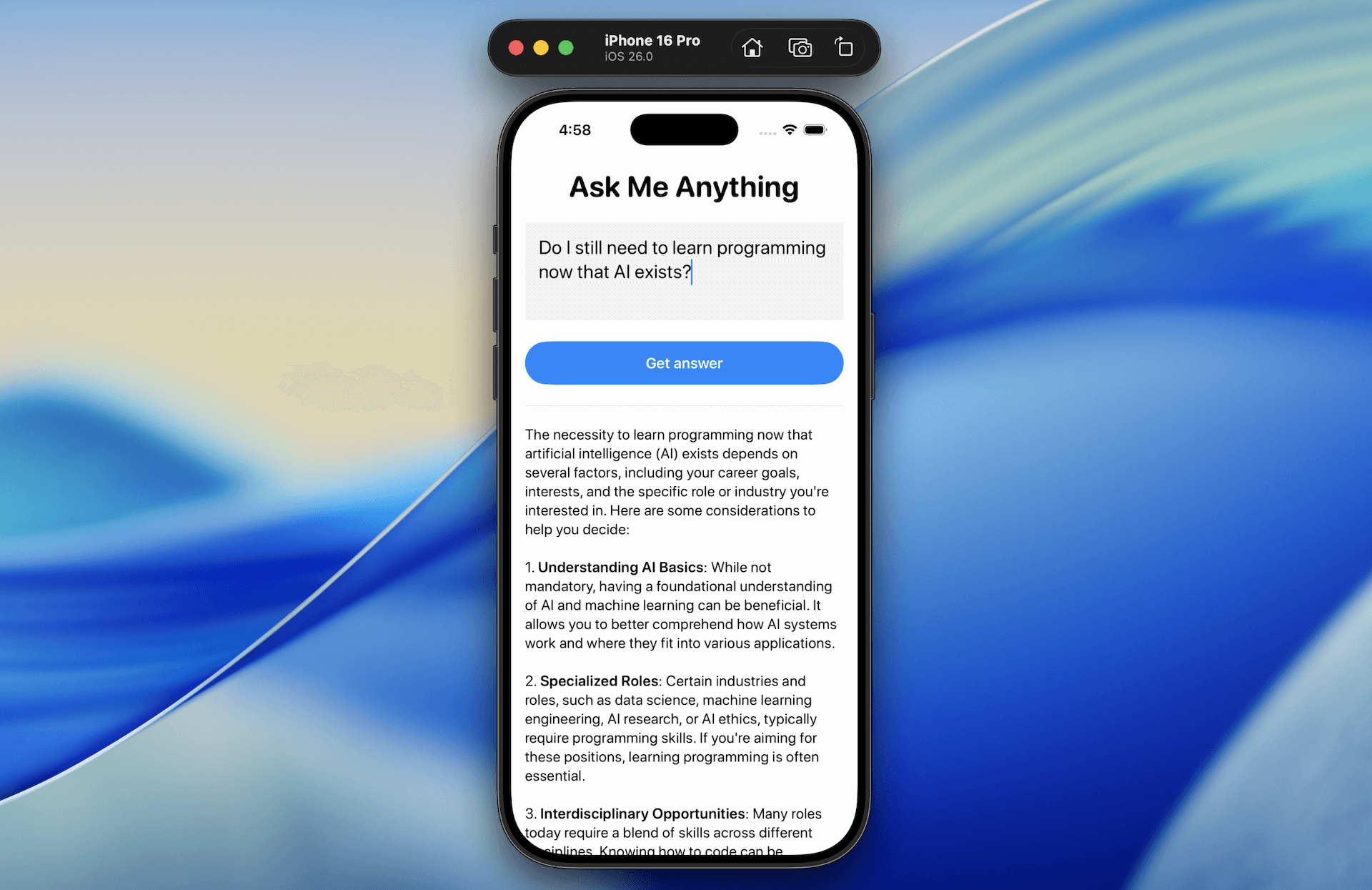
It’s always great to learn new frameworks or APIs by building a demo app — and that’s exactly what we’ll do in this tutorial. We’ll create a simple yet powerful app called Ask Me Anything to explore how Apple’s new Foundation Models framework works in iOS 26.
The app lets users type in any questions and provides an AI-generated response, all processed on-device using Apple’s built-in LLM.
By building this demo app, you'll learn how to integrate the Foundation Models framework into a SwiftUI app. You'll also understand how to create prompts and capture both full and partial generated responses.
To access the full content and the complete source code, please get your copy at https://www.appcoda.com/swiftui.