Chapter 64
Using Tool Calling to Supercharge Foundation Models
In the previous chapter, we explored how Foundation Models work in iOS 26 and how you can start building AI-powered features using this new framework. We also introduced the @Generable macro, which makes it easy to convert generated responses into structured Swift types.
Now, we’ll dive into another powerful capability: Tool Calling — a feature that lets the model interact with your app’s functions to perform tasks, retrieve data, or trigger actions based on user input.
The on-device language model isn’t capable of answering every type of question, especially those that require real-time data, like the current weather or the latest stock prices. In other cases, you might want the model to access your app’s own data to respond accurately. That’s where Tool Calling comes in that it allows the model to delegate specific tasks to your app's functions or external APIs.
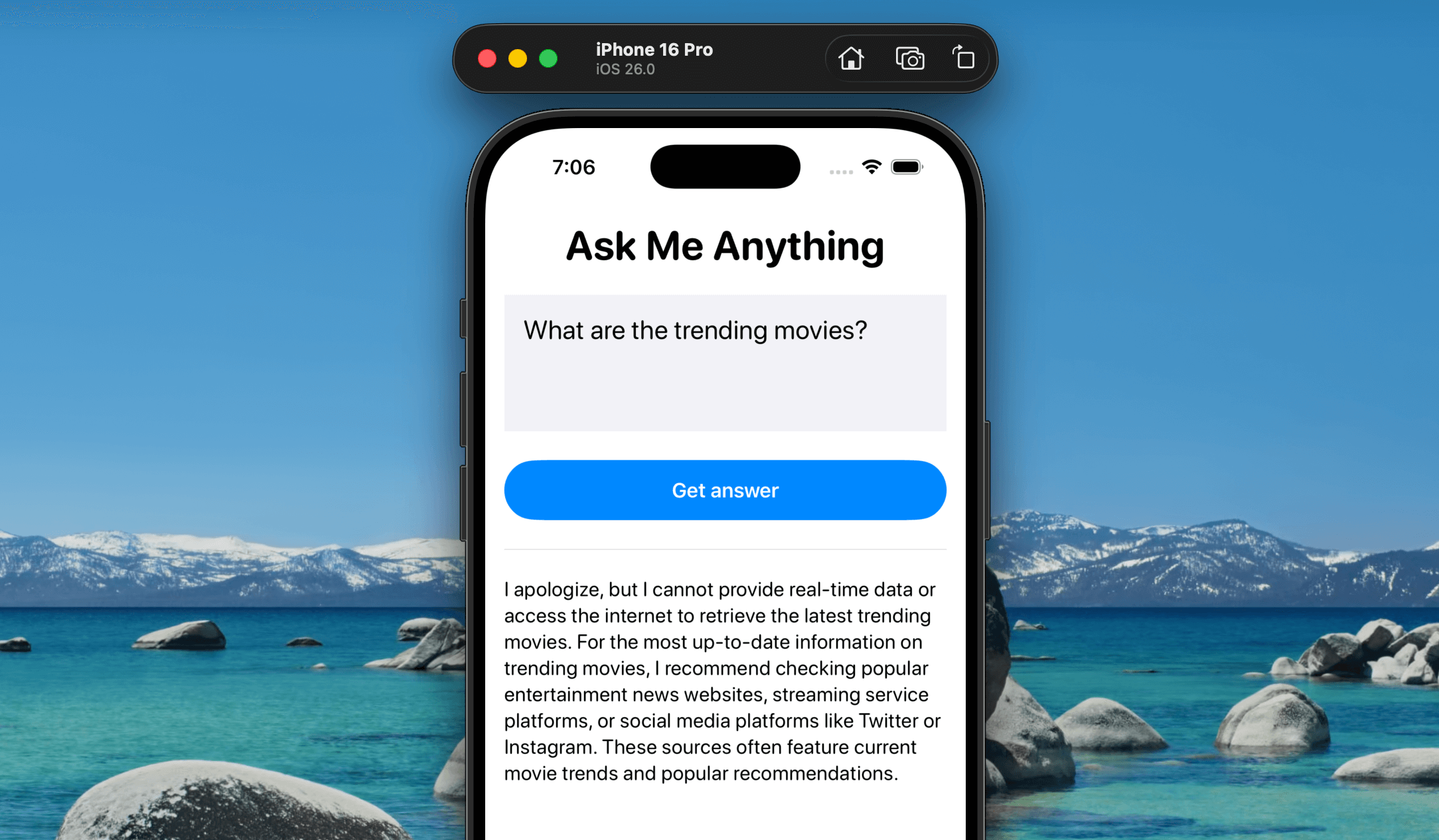
In this tutorial, we’ll extend the Ask Me Anything app. While the on-device model can handle general queries, it doesn’t have access to up-to-date information about trending movies. To bridge that gap, we’ll use Tool Calling to integrate with the The Movie Database (TMDB) API, enabling the model to respond to movie-related questions using live data.
Using TMDB APIs
If you ask the Ask Me Anything app about trending movies, the on-device language model won’t have the answer—it simply doesn’t have access to that kind of real-time information and may suggest checking other sources instead. Let’s fix that using Tool Calling and the TMDB API. With this setup, whenever a user asks a movie-related question, the model won’t respond with “I don’t know.” Instead, it will automatically call the external API and return the relevant information directly in the app.
In the Xcode project, create a MovieService file and insert the following code:
To access the full content and the complete source code, please get your copy at https://www.appcoda.com/swiftui.