Chapter 23
Integrating UIKit with SwiftUI Using UIViewRepresentable
There are two common questions that developers often ask about SwiftUI. The first one is related to data management in SwiftUI projects, that we have discussed in the previous chapter. The second common question is about working with UIKit views in SwiftUI projects. In this chapter, you will learn how to work with UIKit views by integrating a UISearchBar into the Todo app.
If you're new to UIKit, UISearchBar is a built-in component of the framework that allows developers to present a search bar for data search. Figure 1 showcases the standard search bar in iOS. However, SwiftUI didn't provide this standard UI component out of the box when it's first released. To implement a search bar in a SwiftUI project at the time, one approach is to leverage the UISearchBar component from UIKit.
So, how do we interface with UIKit views or controllers in SwiftUI?
To ensure backward compatibility, Apple introduced a couple of new protocols in the iOS SDK, namely UIViewRepresentable and UIViewControllerRepresentable. These protocols enable you to wrap a UIKit view (or view controller) and make it accessible within your SwiftUI project.
To see how this works, we will enhance our Todo app with a search function. We will add a search bar just below the app title, allowing users to filter the to-do items by entering a search term.
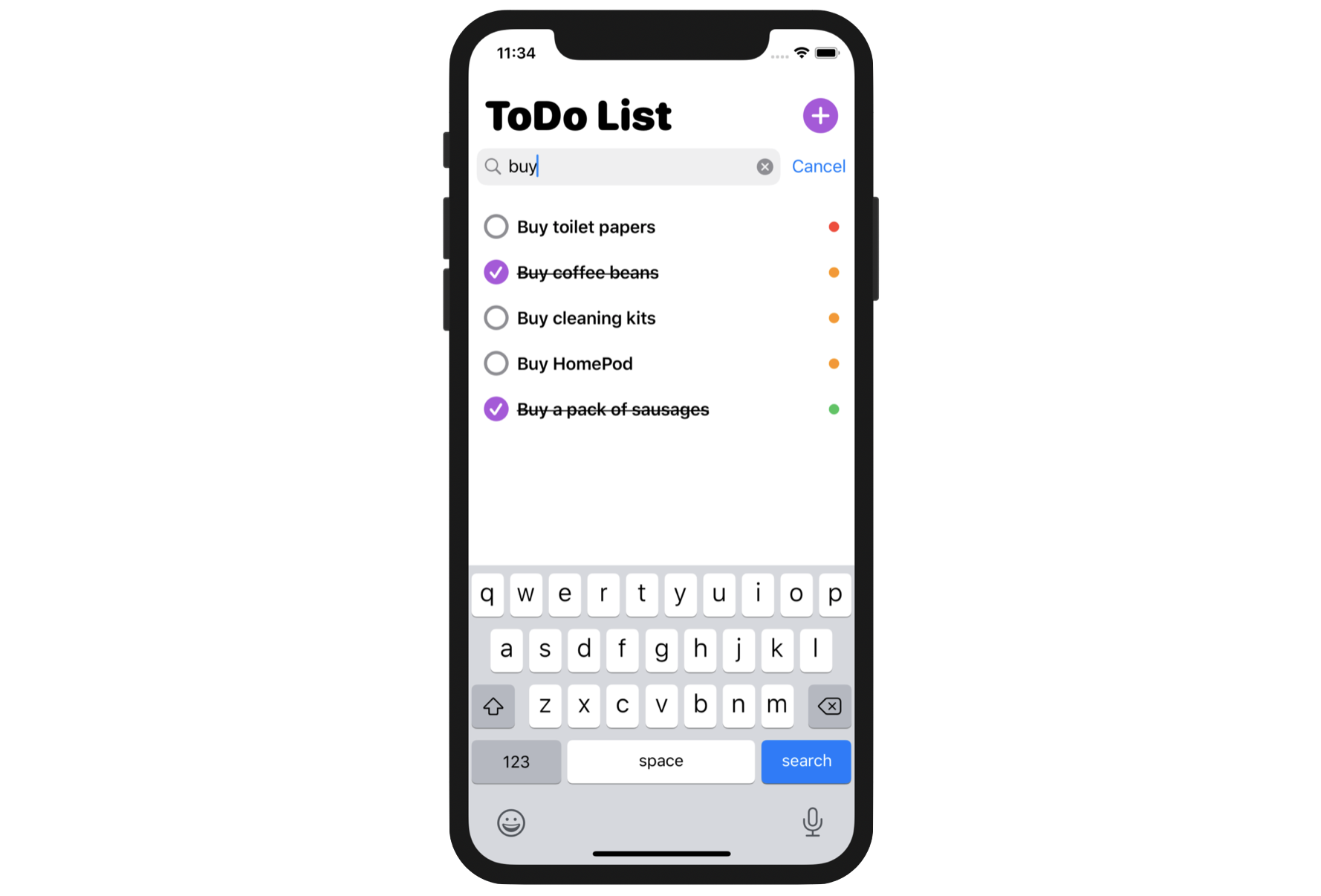
To get started, download the ToDo project at https://www.appcoda.com/resources/swiftui7/SwiftUIToDoList.zip. We will build on top of the ToDoList project. In case you haven't read chapter 22, I recommend you read it first. This will help you better understand the topics we are going to discuss below, especially if you have no experience with SwiftData.
Understanding UIViewRepresentable
To use a UIKit view in SwiftUI, you can wrap the view with the UIViewRepresentable protocol. Essentially, all you need to do is create a struct in SwiftUI that adopts the protocol to create and manage a UIView object. Below is the basic structure of a custom wrapper for a UIKit view:
To access the full content and the complete source code, please get your copy at https://www.appcoda.com/swiftui.