Chapter 58
Integrating System-Wide Translation Using the Translation API
iOS includes a system-wide translation feature that lets users easily translate text into various languages. With iOS 18 (or up), you can now use the new Translation API to integrate this capability into your apps.
Apple offers developers two ways to use the Translation API. The quickest method is the .translationPresentation modifier, which shows a translation overlay in your app. For more flexibility, you can directly call the Translation API to create a custom translation feature.
In this tutorial, we'll explore both approaches and guide you through implementing them with a simple demo app.
Using the translationPresentation Modifier
We'll begin with the most straightforward method: utilizing the .translationPresentation modifier. To follow along with this tutorial, you can download the starter project provided (https://www.appcoda.com/resources/swiftui7/SwiftUITranslationDemoStarter.zip). This project is based on a standard SwiftUI template, but it's been pre-populated with sample articles to work with.
In Safari, users can highlight any text to access the translation option, which then displays a translation overlay with the translated text.
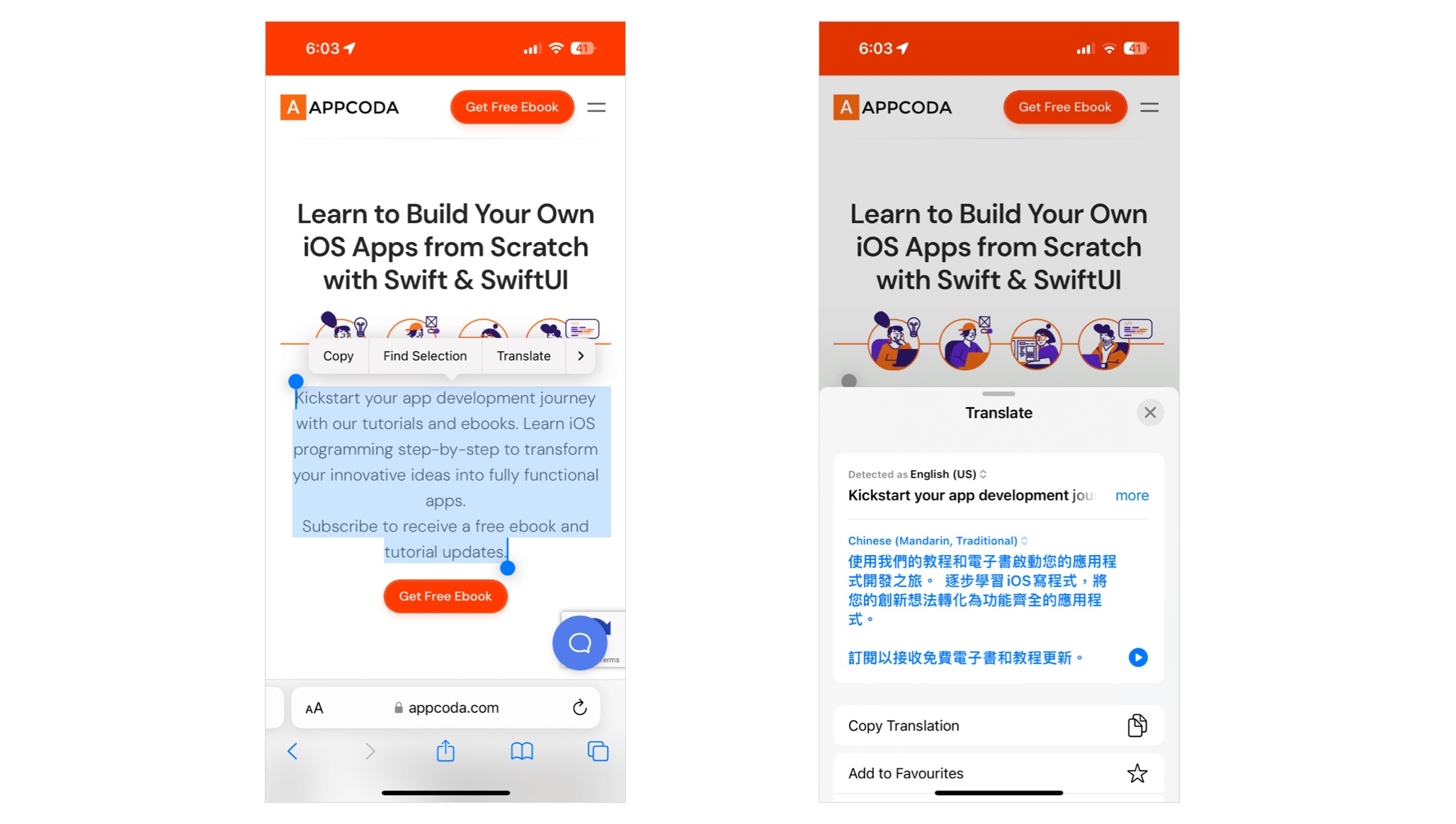
If you want to bring this translation overlay to your app, all you need is to import the Translation package and use the .translationPresentation modifier. Take a look at the following sample code:
To access the full content and the complete source code, please get your copy at https://www.appcoda.com/swiftui.